















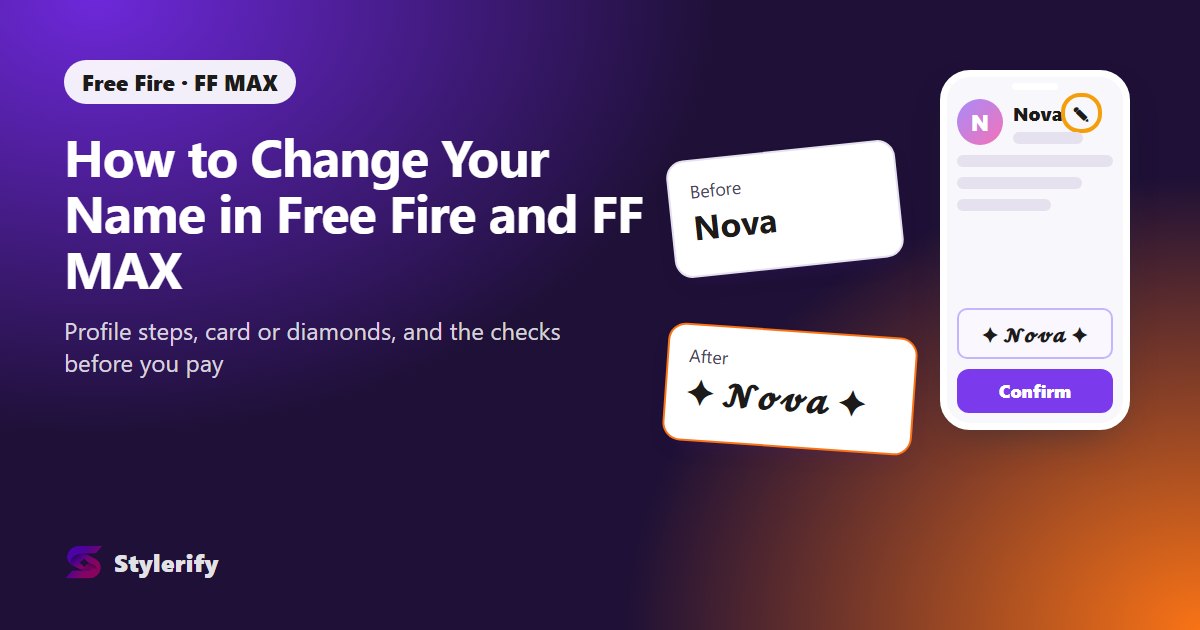
To change your name in Free Fire, open your profile from the lobby, tap the edit button next to your nickname, type the new name and confirm with diamonds or a Name Change Card. FF MAX uses the same account, so one rename changes the name in both apps.
The steps take a minute. The part worth slowing down for is the new name itself, as every rename costs something. To have a styled name ready before you start, create a stylish name for Free Fire on our Free Fire page, which shows how long each style counts. Then come back to the steps below.
How to Change Your Name in Free Fire, Step by Step
Garena's own support article describes the route from the profile photo in the lobby to the box next to your nickname. Players see the same route on Android and iPhone. Button labels move a little between updates, so look for the icon described in each step if the words on your screen differ.
- Open your profile. In the lobby, tap your profile photo in the top-left corner.
- Find the edit button. On the profile screen, tap the small edit button (a pencil) beside your current nickname. The Change Nickname box opens.
- Enter the new name. Clear the old name, then type the new one or paste a name you copied earlier. Paste a styled name in one go instead of typing parts of it.
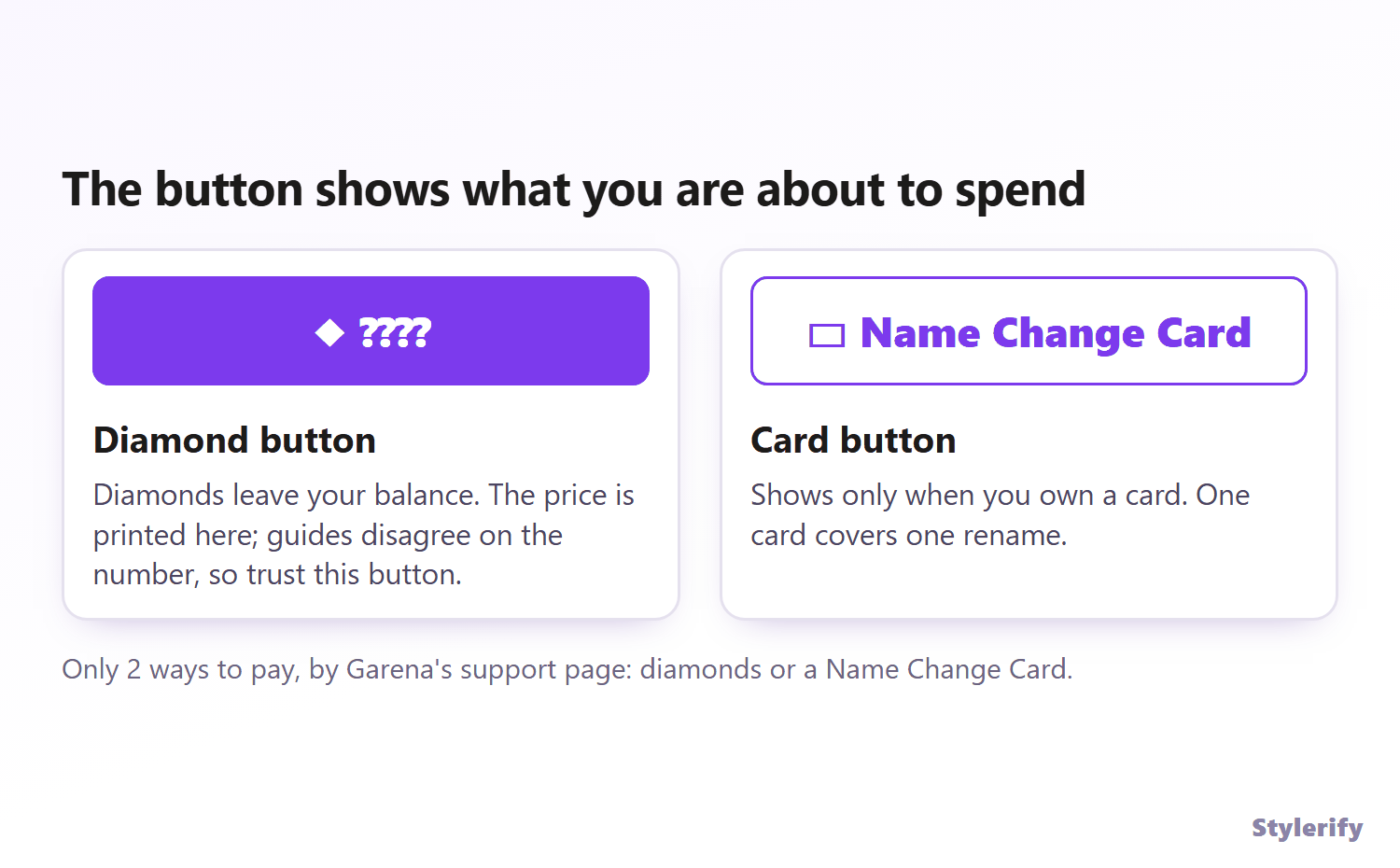
- Read the button. Below the box, the game offers a diamond button with a price, a Name Change Card button, or both. The icon on the button tells you what will be spent.
- Confirm. Tap the button you want to pay with. The box closes when the game accepts the name.
- Check the result. Open your profile again and look at the name. A missing or changed symbol means the game altered it, and the troubleshooting table further down covers why.
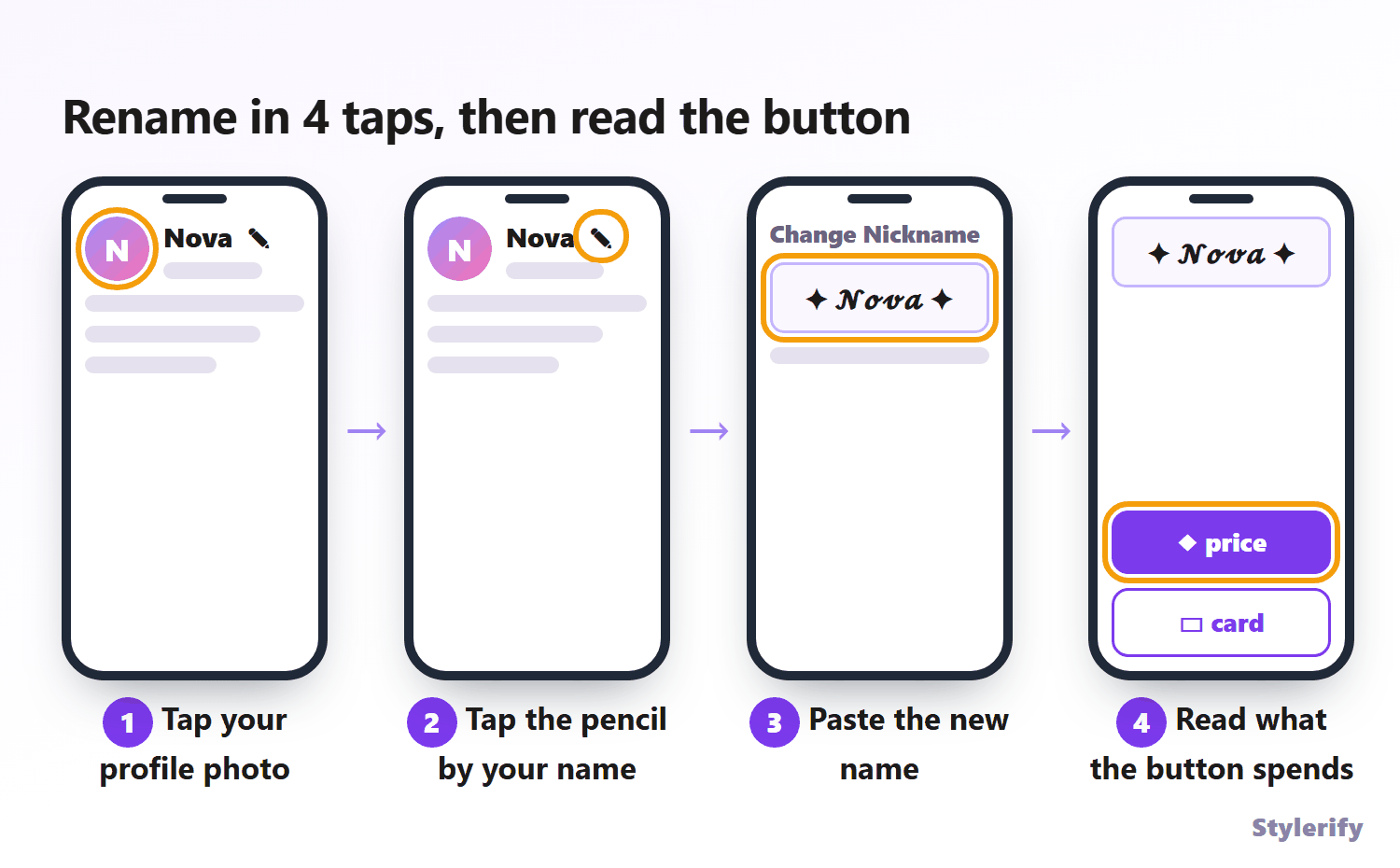
Source: Garena's Free Fire support article on changing a nickname (Portuguese edition, updated 16 February 2024), which names diamonds or a Name Change Card as the only ways to pay: ffsuporte.garena.com.
Changing Your Name in FF MAX
FF MAX uses the same profile route, and the same account. Garena's help page for Free Fire MAX says account data, including progress and items, is synced across both applications, and that players log in to MAX with their existing Free Fire account. A rename in one app therefore shows in the other. There is no separate FF MAX rename to buy.
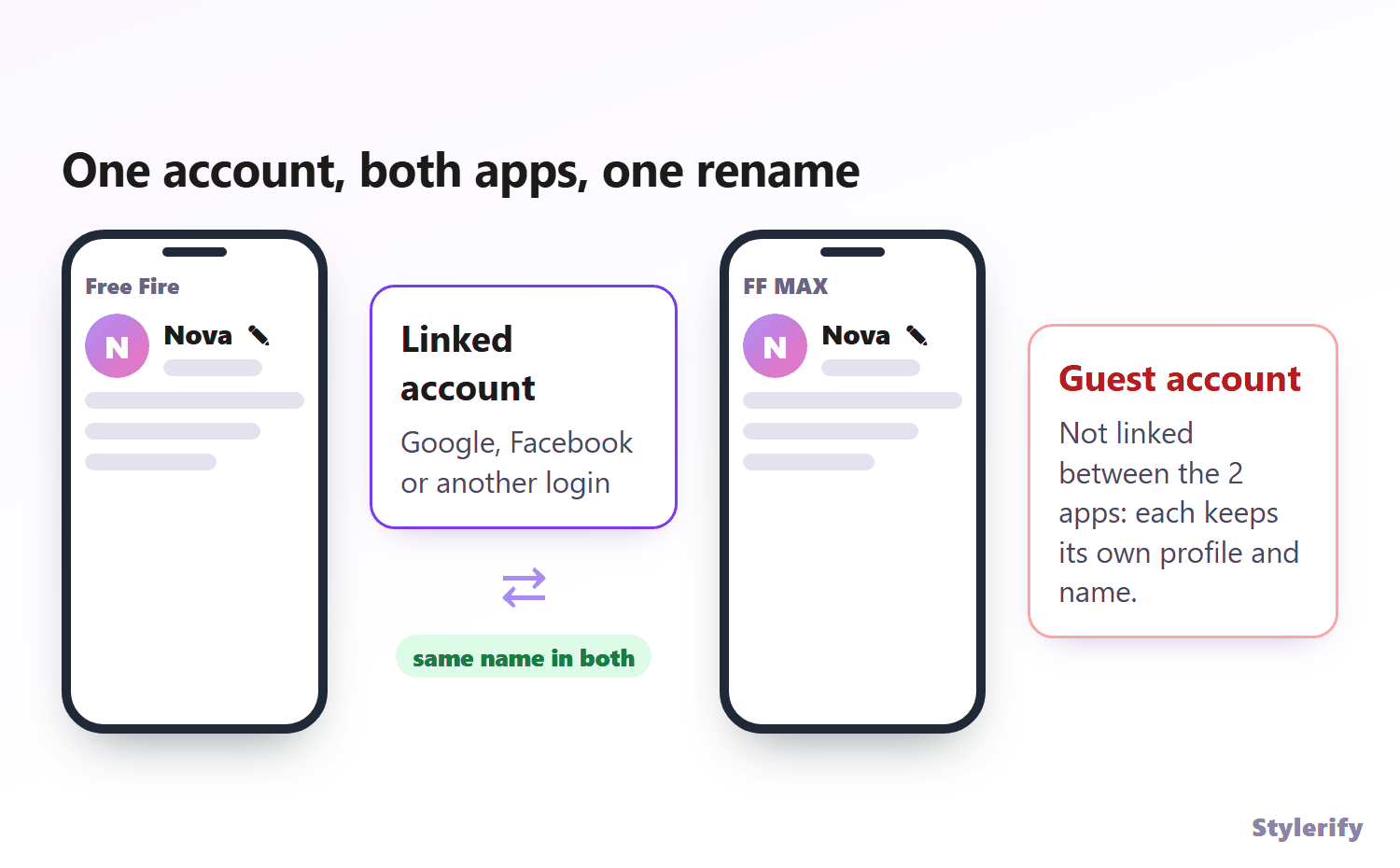
One exception matters. Garena states that guest accounts are not linked between Free Fire and Free Fire MAX, or across devices. On a guest account, each app holds its own profile, and a rename in one does not carry over. Linking the account to Google, Facebook or another login option in the game settings ends that split, and it protects the account if the phone is lost.
Players in India
The original Free Fire app has been blocked in India since February 2022, while Free Fire MAX stayed available. In October 2026 Garena launched a separate Free Fire India app, and reports from the launch say it uses India-region accounts. Rename inside the app you actually play there, and check that your account is linked before you spend anything.
Sources: Free Fire MAX help (Garena); TechCrunch, 28 October 2026.
Name Change Card or Diamonds: What a Rename Costs
A Free Fire rename costs either diamonds or one Name Change Card, and Garena does not publish a fixed diamond price. Most player guides quote 390 diamonds. At least one guide from November 2026 quotes 800, and prices can differ by region or change during events. So treat any number you read online, including on this page, as a rumour until you see it on the button in your own game.
| Way to pay | Where it comes from | How sure |
|---|---|---|
| Diamonds | Your diamond balance, topped up through the game's official store | Garena support |
| Name Change Card | Events that hand out cards, by Garena's support article | Garena support |
| Card from the guild store | Exchanged for guild tokens plus a small diamond fee, in older and current player guides | Reported, changes by season |
| Card from new-player rewards | Sign-in rewards for new accounts, in player guides | Reported, not on every account |
Check Whether You Already Own a Card
The quickest check is the rename box itself. When you own a Name Change Card, the box shows a card button next to the diamond button. You can look in your Vault as well, where items you own are listed. A box with only a diamond button means there is no usable card on that account.
A Word on "Free" Renames
Guides disagree on whether the very first rename is free, and Garena does not say. Events that give a card are the legitimate way to rename without diamonds, and they come and go. Any website that promises a free card in exchange for your login, a survey or an app install is not connected to Garena.
Check the New Name Before You Confirm
Before you tap the price button, check the length, the characters and the readability of the new name. Once the game accepts a name, fixing a typo costs another rename.
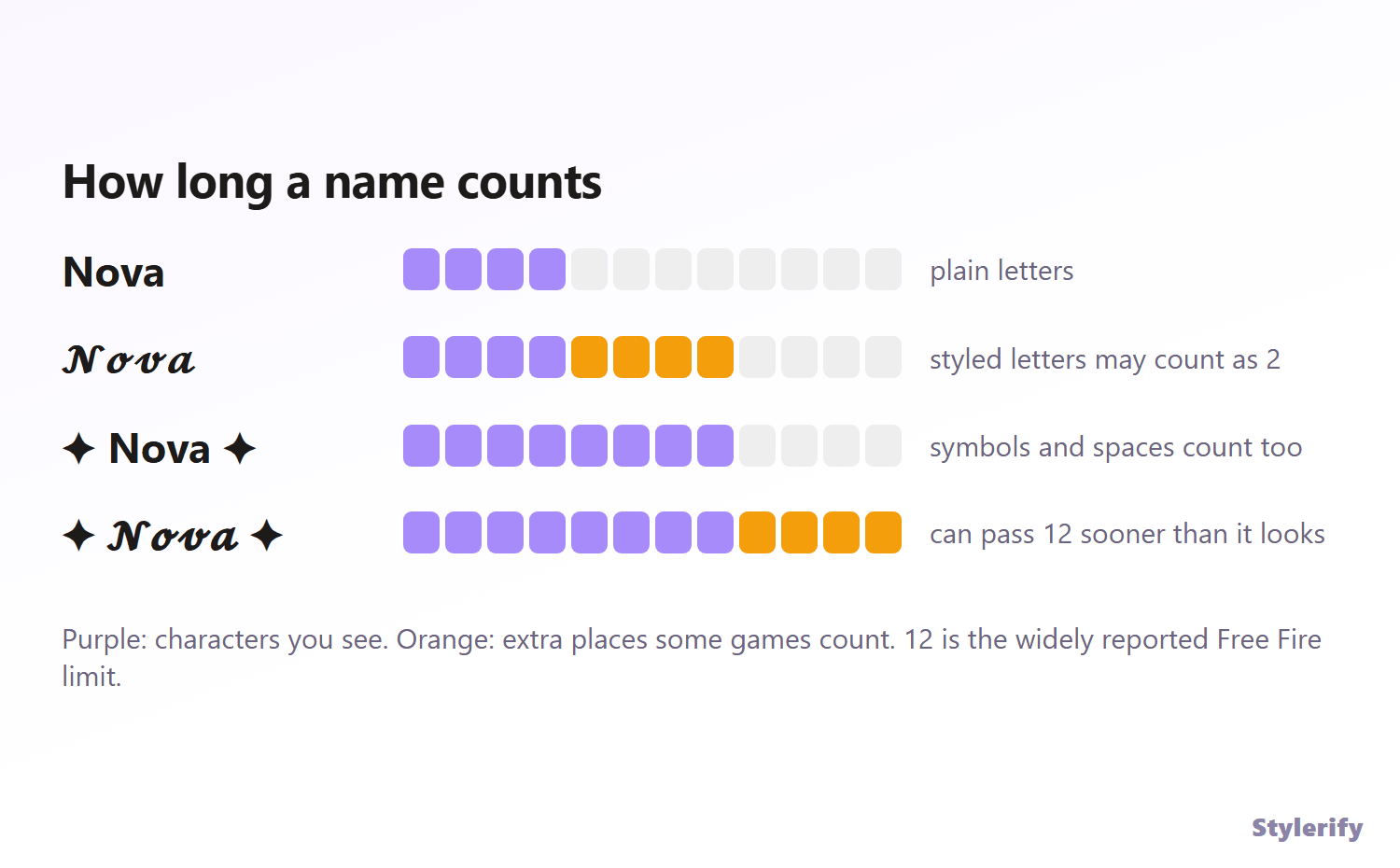
- Length. Free Fire's nickname limit is widely reported as 12 characters. Garena does not publish it, and some styled letters count as 2 places each, so a name that looks short can still be too long.
- Spaces and emoji. Players report that the box refuses ordinary spaces and strips emoji. Join words with a symbol such as ✦ or 亗, or write them together.
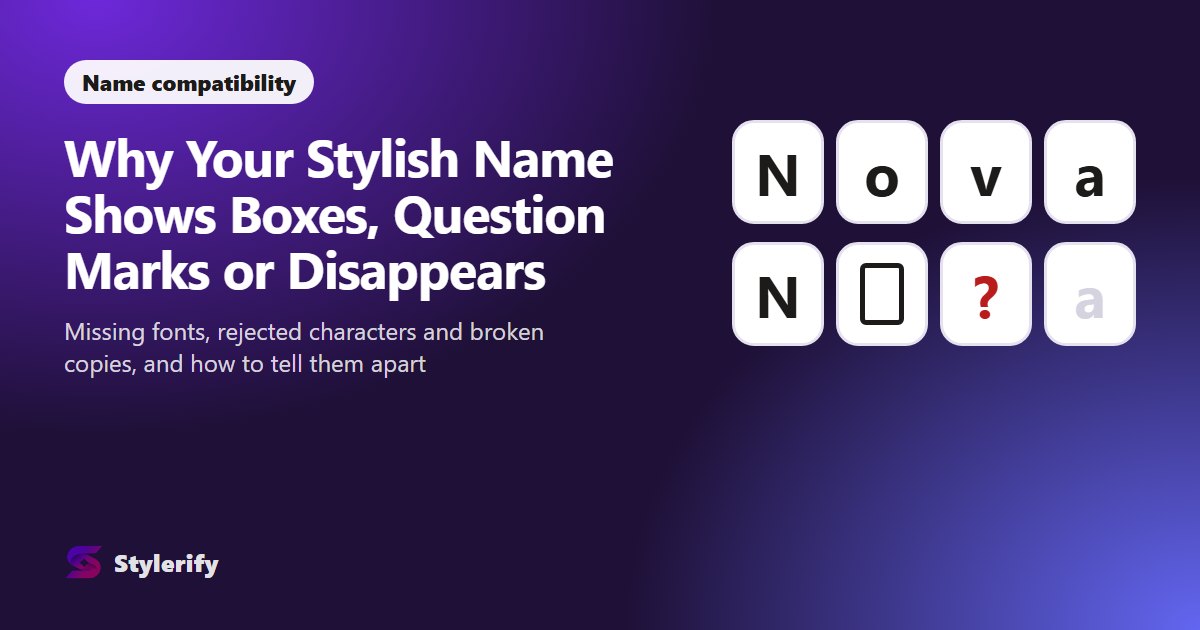
- Special characters. Garena's support article advises against special characters, as they may not display on every device. A name that shows on your phone can show as boxes on a squadmate's.
- Readability. Teammates read your name in a kill feed for a second at a time. One style and one or 2 symbols read faster than a name buried in a frame.
Here is the same name in 3 strengths: plain Nova, Bold Sans 𝗡𝗼𝘃𝗮 and Small Caps ɴᴏᴠᴀ. They are different characters, not one name in different fonts, so Free Fire treats them as 3 separate names. That helps when your plain name is taken.
Practical Name Check Before a Free Fire Rename
✓ Practical name check⏱ about 3 minutes
Goal: end up with a readable new name, and a simpler backup, before you spend diamonds or a card.
- Open the Free Fire name maker with the button below and type the plain name you want, such as Nova.
- Copy 2 versions: one plain or lightly styled, and one with a single symbol, such as ✦ 𝗡𝗼𝘃𝗮 ✦.
- Paste both into a chat with yourself or a friend and look at them on a second phone if you can.
- In Free Fire, open the Change Nickname box and paste the lightly styled version. Watch whether any character disappears or the box refuses it.
- Stop here. Close the box without tapping the diamond or card button.
Success check: the name shows complete in the box and in your chat, with no boxes or missing letters, and you know its price from the button.
When it fails: remove one symbol at a time, try the simpler backup, and read the guide on names that show boxes or disappear.
The box shows what the game keeps from your text. Only the confirm step shows whether the server accepts the name, so this check lowers the risk without removing it.
When a Free Fire Rename Does Not Work
A failed rename has 6 common causes, and each one shows up differently. Error wording changes between versions and languages, so match what you see rather than an exact message.
| What you see | Likely cause | What to try |
|---|---|---|
| No edit button on the profile | An outdated app, or a profile screen you opened from another player | Update the game, then open your own profile from the lobby photo |
| "Name already exists" | Another player holds that exact name | Change one letter's style or one symbol; ɴᴏᴠᴀ and Nova count as different names |
| The box refuses a character | A space, emoji or symbol the game does not allow | Remove decorations one at a time to find it |
| Text looks different after saving | The game removed a character, or a device lacks a font for it | See the boxes guide for the difference between the 2 |
| No card button in the box | No usable card on this account, or a guest account in the other app | Check your Vault and your account link |
| Name reset to a default | A name that broke Garena's abuse policy | Pick a name without offensive words or someone else's identity |
The last row matters more than it looks. Garena's abuse policy says names with hate speech, sexual content, impersonation, illegal activity or harassment are reset to a default name without notice, and repeat cases can lead to suspension. The diamonds spent on that rename do not come back.
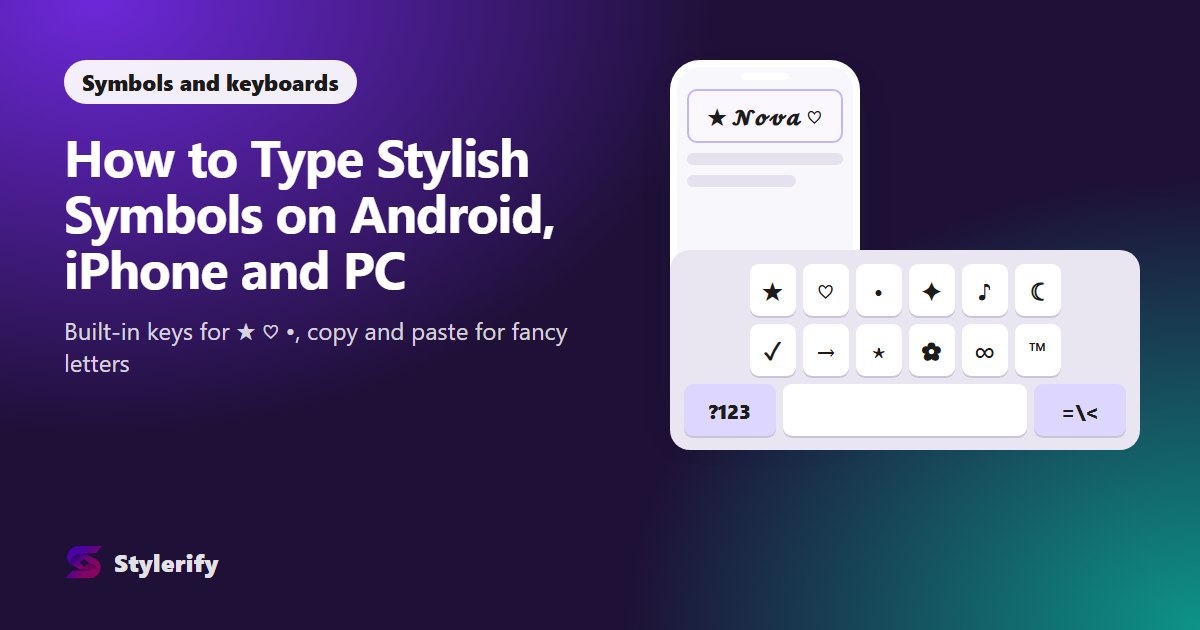
For a problem with the characters themselves rather than the game, the guide on how to type stylish symbols on Android, iPhone and PC shows how to enter or paste them cleanly, which fixes a lot of half-pasted names.
Getting Help From Garena
For a rename that charged you without changing the name, or a card that vanished, contact Garena through the game, not through a third party. In Free Fire, open Settings, then Customer Service, and submit a request. On the web, the request form is at ffsupport.garena.com. Garena asks you to log in with a linked account, and it fills in your player ID and nickname for you. Players in India have their own support sites for Free Fire MAX India.
Never share your password or a one-time code with anyone, including someone who says they work for Garena. Support does not need them to look into a rename.
Rename Scams to Avoid
A name change is only possible inside the official game. Watch for 4 common traps:
- Sites that offer a free Name Change Card or free diamonds after you log in with Facebook, Google or your game account. They are after the account.
- "Verification" steps that ask you to install apps or fill in surveys before a rename.
- Modified versions of the game that promise free items, which can get an account banned.
- Sellers who offer to rename your account if you hand over the login.
Copying a name from a text tool is safe in this sense: you copy text, and nobody needs your account details for it.
Frequently Asked Questions
Does FF MAX use the same rename method as Free Fire?
Do I need a Name Change Card to rename in Free Fire?
What should I do if Free Fire rejects my stylish name?
How do I check what a Free Fire rename costs right now?
Can I get my old Free Fire name back?
Before you tap the price button, read the name in the box letter by letter, check that every symbol survived the paste, and look at the price on the button. Those 3 checks take 10 seconds and cost nothing.